
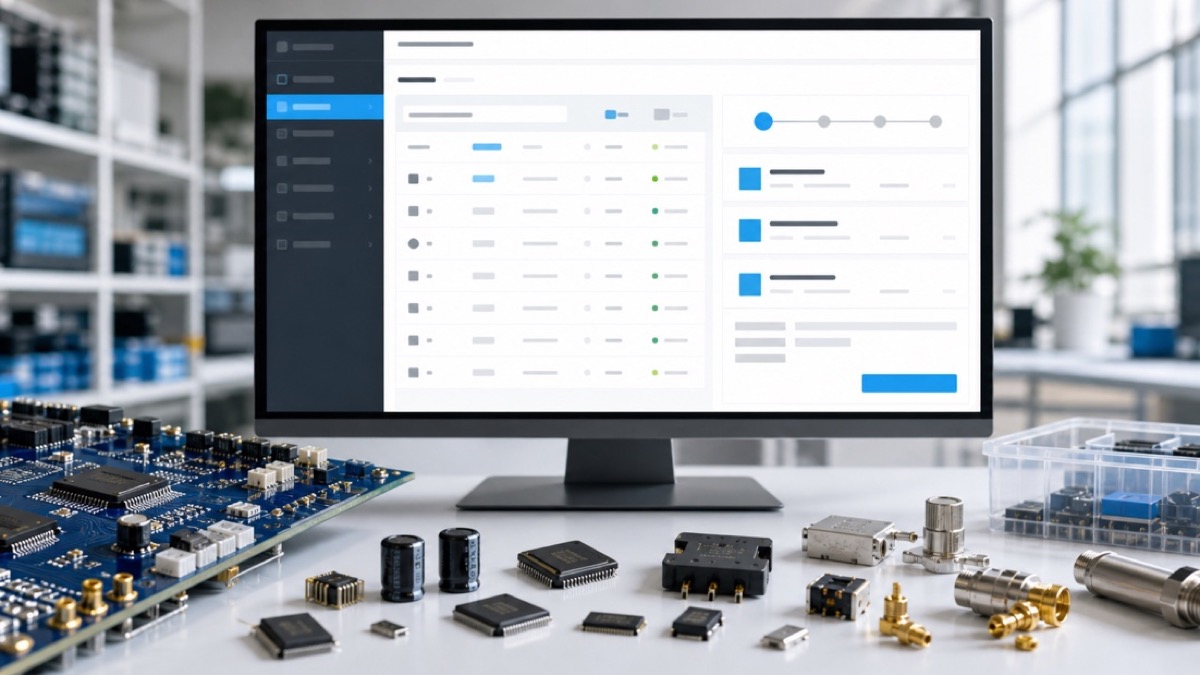
In the electronic component B2B space, the first action a buyer takes upon landing on a supplier's website is often typing a model number—like 'STM32F103C8T6' or 'LM358N'. This search behavior determines the entire subsequent experience: if the search results are accurate and information-rich, the user is likely to initiate a Request for Quote (RFQ); if the search returns no results or displays poorly, the user will almost certainly leave immediately. Therefore, model search and RFQ conversion optimization is the core proposition for any component standalone store.
This article systematically explains how to optimize for both traditional search engines (SEO) and generative AI engines (GEO), covering keyword strategy, on-site search technology, structured data deployment, GEO adaptation, and common pitfalls. We'll also provide actionable technical solutions and a detailed FAQ section.

1. Core Pain Points of Model Search & Data Insights
According to industry surveys, over 70% of electronic component B2B buyers start their visit by searching for a specific model number. However, many standalone stores suffer from the following issues:
- Zero Result Pages: When a user types an exact model number, the system returns 'no results found,' causing bounce rates to skyrocket.
- Weak Fuzzy Matching: When a user inputs 'STM32F103,' the system fails to display other models in the same series or compatible alternatives.
- Incomplete Search Result Information: Only the model name is shown, missing critical data such as stock status, price range, and datasheet links.
- Hidden RFQ Entry Points: Users cannot easily find how to request a quote after locating the model, or the button is not prominently placed.
Before optimization, one standalone store had a model search bounce rate of 68% and an RFQ conversion rate of only 0.3%. After full-stack optimization, the bounce rate dropped to 22% and the RFQ conversion rate increased to 3.5%. The following sections break down these optimization methods step by step.
2. SEO Foundation: Model Keyword Strategy & Content Architecture
To ensure users find your standalone store via search engines, you need good rankings for model-specific keywords on Google and other platforms. Electronic component model numbers are highly specific (e.g., 'AD8232ACPZ-R7'), but competition is intense among major distributors. The following strategies can help you stand out:
- Cover Long-Tail Model Variants: In addition to the main model number, include lead-free versions (e.g., 'AD8232ACPZ-RL'), package variants (e.g., 'AD8232ACPZ-REEL7'), and alternative part numbers.
- Structured Product Detail Pages: Create a unique URL for each model and embed Product structured data (Schema.org) containing the model number, brand, MPN, stock status, price, and other relevant information.
- Optimize Model Category Pages: Create aggregate pages for product families (e.g., 'STM32F1 Series'), use ItemList structured data, and write descriptive introductory text for the series.
- Build an Internal Link Network: Establish links between model detail pages such as 'Alternative Models' and 'Same Series Models' to improve crawler coverage and user navigation.
For example, /en/product/mall-rfq-edition.html includes built-in model auto-complete and intelligent matching features that significantly reduce zero-result pages. Additionally, combine it with the SEO checklist from /en/news/component-website-seo-checklist.html to ensure every model page has a unique title, meta description, and structured data.
3. On-Site Search Experience Optimization: From Fuzzy Matching to Smart Auto-Complete
On-site search is the bridge between 'finding a model' and 'sending an RFQ.' The following technical solutions can dramatically improve the search experience:
- Fuzzy Search & Synonym Support: Support partial matching, spell correction (e.g., 'STM32F103' mistyped as 'STM32F103' still works), and synonym dictionaries (e.g., 'IC' and 'integrated circuit' interchangeable).
- Search Auto-Complete: As the user types the first three characters, display a list of suggested model numbers, along with price ranges and stock icons.
- Search Result Sorting Logic: Prioritize exact matches first, followed by same-series models and alternatives. Models with ample stock and competitive prices should be ranked higher.
- Guidance for Zero-Result Scenarios: When no exact match is found, display 'Did you mean the following models?' with a list of approximate matches, and provide a 'Submit RFQ' button for users to describe their requirements.
For instance, using the /en/product/data-matrix-edition.html model association engine, you can link functionally compatible models from different manufacturers, allowing users to see multiple alternatives when searching for one model, greatly increasing conversion opportunities.
4. Structured Data Deployment: Help Search Engines & AI Engines Understand Your Model Catalog
Whether for traditional SEO or GEO, structured data is critical. For a component standalone store, you should deploy the following types:
- Product: Each model should have a Product object containing mpn, brand, offers (with price, priceCurrency, availability), category, and more.
- BreadcrumbList: Help users and crawlers understand the category hierarchy, e.g., 'Home > Integrated Circuits > Microcontrollers > STM32F103C8T6'.
- FAQPage: For each model or series, deploy FAQ structured data answering high-frequency questions like 'What are the alternatives for this model?' and 'What is the minimum order quantity?'
- Organization: Deploy on the homepage and About Us page, containing company name, logo, contact information, etc.
GEO requires that content is not only indexed but also understood. When AI engines answer user questions, they preferentially cite pages with complete structured data and clear context. For example, when ChatGPT is asked 'Which supplier has STM32F103C8T6 in stock?' your page with complete Product structured data has a much higher chance of being referenced.
For more structured data practices, see /en/news/faq-structured-data-geo.html.
5. GEO Adaptation: Make Your Model Content Prioritized by AI Engines
Generative engines (like ChatGPT, Perplexity, Google SGE) are changing how users access information. To adapt for GEO, you need to:
- Create Authoritative Model Guide Pages: Write 500–800 word detailed guides for each popular model, covering technical specifications, application scenarios, alternative models, purchasing tips, etc. AI engines favor pages with high information density and authority.
- Use Natural Language Q&A Structure: Embed common user questions within the page and answer them in paragraph form. For example, 'What are the alternatives for STM32F103C8T6?' followed by a list of alternatives explaining the differences.
- Earn External Citations and Links: Get your model pages mentioned in industry forums, technical blogs, and PDF documents to increase domain authority.
- Optimize Page Speed and Mobile Experience: AI engines consider Core Web Vitals when evaluating page quality.
Additionally, {{PROD:geo-ai-search-component}} can help you automatically generate AI-friendly model content snippets to embed directly on your site.
6. RFQ Conversion Optimization: A Seamless Path from Search to Quote Request
Once users find the model, how do you efficiently convert them into RFQ submitters? The following strategies have been proven in practice:
- Embed RFQ Buttons Directly in Search Results: Place a 'Request Quote' button next to each model result, which opens a lightweight form with the model number pre-filled.
- Multiple RFQ Entry Points on Model Detail Pages: Position RFQ buttons below the model title, next to the technical parameters table, and at the bottom of the page. Use contrasting colors and action-oriented text like 'Get Price & Stock'.
- Optimize RFQ Forms: Keep form fields minimal (model number, quantity, company, email) and use smart defaults (e.g., minimum order quantity). Support BOM file uploads.
- Automated Post-RFQ Confirmation and Follow-Up: Immediately send a confirmation email after submission, including the model datasheet. Ensure the sales team responds within one hour.
/en/product/mall-rfq-edition.html provides a complete RFQ management module, including customizable forms, auto-reply templates, and RFQ analytics dashboards, ready to integrate into your existing standalone store.
7. Technical Implementation: Search Backend & Index Engine Setup
For teams with development capabilities, the following technical architecture is recommended:
- Search Engine Choice: Elasticsearch or Algolia. Both support fuzzy search, synonyms, and weighted sorting. Elasticsearch is recommended for self-hosting and data security control.
- Model Data Index Structure: Each document should include fields: model_number (primary model), alternate_numbers (alternative models), brand, category, stock_status, price_range, datasheet_url, description, etc.
- Search API Design: Support GET requests with parameters q (search term), page, size, sort. Return JSON containing results, total_count, and suggestions (for zero-result scenarios).
- Frontend Search Component: Build an auto-complete dropdown using Vue or React, with 300ms debounce, displaying model numbers and price icons.
If you prefer not to build from scratch, /en/product/source-code-edition.html provides a complete on-site search source code that can be quickly deployed and customized.
8. Data Monitoring & Continuous Optimization
Optimization is not a one-time task. You need to continuously monitor the following metrics:
- Search Zero-Result Rate: Target below 5%. If too high, supplement model data or improve fuzzy matching.
- Search-to-RFQ Conversion Rate: The percentage of users who submit an RFQ within 24 hours after searching. Target above 2%.
- Average Search Response Time: Below 200ms, otherwise users will lose patience.
- Top Search Terms Report: Regularly export search logs to identify high-frequency terms that return no results, and promptly add models or content.
Combine with the GEO analysis tool from /en/news/geo-ai-search-component.html to track how often AI engines reference your model content.
9. Frequently Asked Questions (FAQ)
What if a model search returns no results?
How can I improve the RFQ conversion rate?
Does structured data help with GEO?
Does on-site search support mixed Chinese Pinyin and English input?
10. Conclusion
Optimizing model search and RFQ conversion for a component standalone store is a systematic project involving SEO, on-site technology, structured data, GEO adaptation, and user experience. From precise model keyword strategy to intelligent on-site search engines and seamless RFQ conversion paths, each step directly impacts user decisions and website revenue. We recommend starting with two core metrics—search zero-result rate and RFQ conversion rate—and iterating gradually.
For rapid implementation, refer to the integrated solution provided by /en/product/online-trade-edition.html, or contact our technical team for custom advice: /en/contact.html.